

Who can change them
Automations opens for people who can change automations or company settings. Changing anything needs "Change automations, SLAs, tiers and routing", which only the CEO has in a new company. Everyone else sees the page read-only.
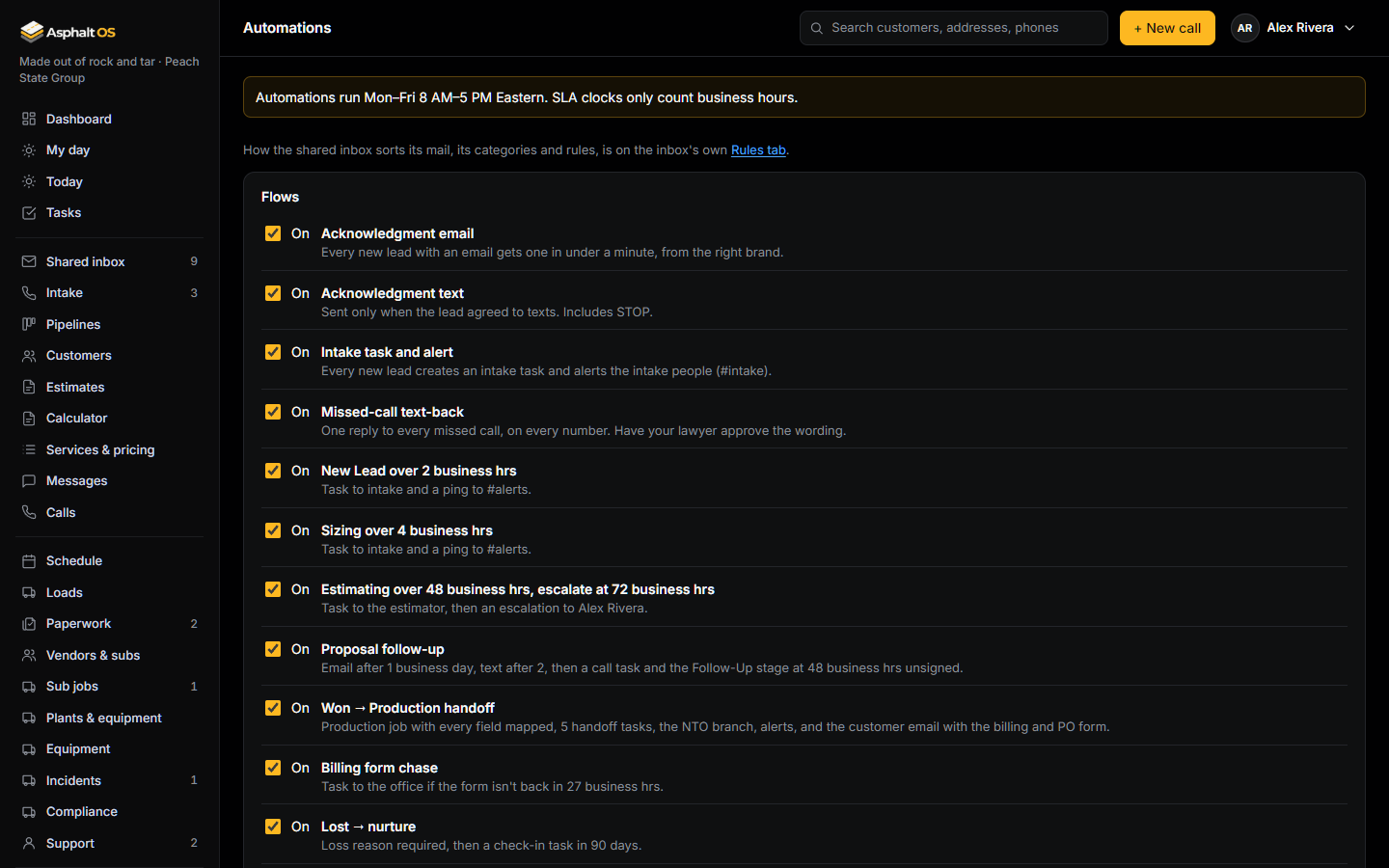
Flows
Twelve switches, all on in a new company:
- Acknowledgment email, and acknowledgment text
- Intake task and team alert
- Missed-call text-back
- New lead over its limit, Sizing over its limit, Estimating over its limit (and the escalation)
- Proposal follow-up
- Won to Production handoff
- Billing form chase
- Lost to nurture: a check-in after 90 days
- Intake end of day, at 4:30 PM
The other cards
| Card | What it holds |
|---|---|
| Tiers | Where Tier 1 and Tier 2 start (50,000 and 10,000 sq ft), your service area counties, and what Tier 3 leads get: the decline template (to start), or a draft estimate for a person to review. See Estimates. |
| Routing | One person each for intake, Tier 1 estimates, Tier 2 estimates, PlanHub bids, escalations and Tier 1 alerts, the office (contracts, COI, billing) and operations (plant, trucking, schedule). All start as the owner. |
| SLA timers | The time limit for each stage, in business hours. See Time limits and reminders. |
| Untouched reminders | How many business hours a lead may sit untouched in each stage (16 to start). |
| Business hours | When the company opens and closes, and which days. Monday to Friday, 8 AM to 5 PM to start. At least one day is needed. Holidays are not counted as closed. |
| Handoff and nurture | Which customer types need a notice to owner (general contractor and tenant to start), the NTO deadline (30 days) and when lost leads get a check-in (90 days). See Paperwork and the handoff. |
| Brands | Each brand's name, phone and sending address. |
The time zone is set on Settings.
How the shared inbox sorts its mail is set with the same permission, on the inbox's own Rules tab: its categories, rules in plain words that sort and assign each email as it arrives, and its AI assistant's switches, quality and daily cap. See Categories and rules and The AI assistant.