

One app instead of five
Asphalt OS is the CRM and operations app for paving companies. It follows every job from the first phone call to the final invoice.
Many paving companies juggle a CRM for leads, spreadsheets for the schedule and the costs, a texting app, and QuickBooks for the money. Every hand-off means typing the same customer again. In Asphalt OS the office, the estimators and the crews all work from the same records.
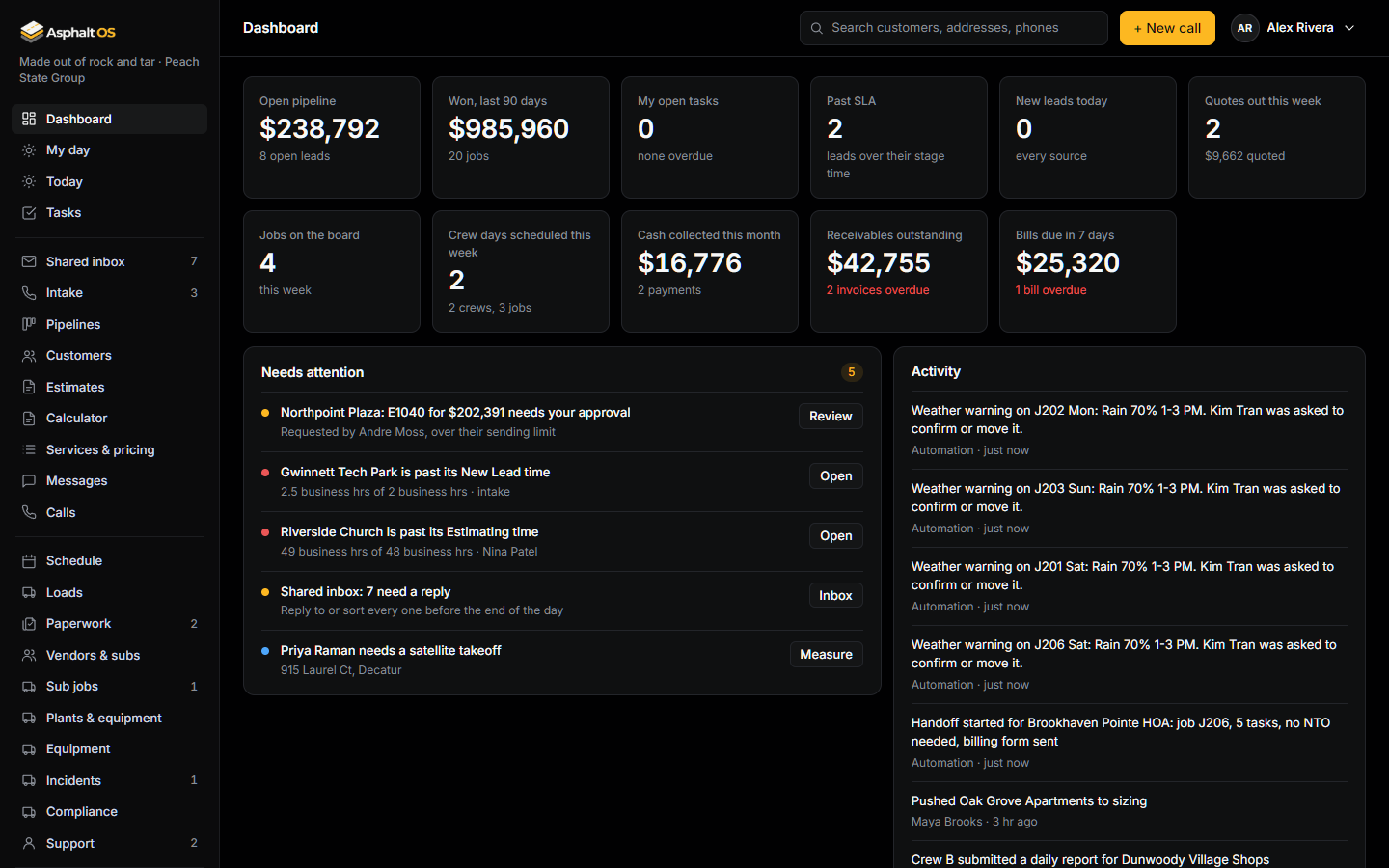
What it covers
- Sales: phone calls and web leads, the customer book, the shared inbox, pipelines, estimates that customers sign online, the asphalt calculator and texting.
- Operations: the schedule for quote visits and crews, weather warnings, truck loads, equipment, incidents, driver inspections, support tickets, sub jobs and paperwork.
- Money: invoices with a Pay online link, bills and payroll totals, crew expenses, each job's income and costs, QuickBooks import and reports.
- Admin: roles and permissions, automations, company settings and a history of changes.
One status for every job
A job shows one status wherever it appears: on the pipelines, in lists and in the customer's page. It moves through these steps:
| Status | What it means |
|---|---|
| New lead | It just came in. |
| Sizing | It is being measured. |
| Estimating | The quote is being built. |
| Approved | The price is OK and the quote has gone to the customer. |
| Followed up | We followed up and are waiting on the customer. |
| Accepted | The customer said yes. The job is created. |
| Scheduled | It has a crew and a date. |
| In progress | The crew is working. |
| Complete | The work is finished. |
| Closed | The money is done too: the job has its income and cost lines, and nothing changes any more. |
Three more can be set from any open status:
- Lost: the customer said no. A reason is required.
- Canceled: called off after it was accepted, or withdrawn.
- On hold: paused. It can resume where it left off.
The database refuses skipped steps. For example, a job can't be Accepted until the customer has received a quote. See Pipelines and lead stages.
Rules the database keeps
Who can see and change what is checked by the database itself on every read and every change, not only by the screens. Each company's records are kept apart from every other company's. The database also checks for itself who is acting: your password and your two-factor code are checked by the database, not by the app server, so a taken-over app server can't pretend to be you. See Your company's data.
Try it first
The clickable demo runs in your browser with a sample paving company. Nothing to install, and your changes stay in your browser. The demo also shows a few screens that are not part of the app today, such as the live map. Satellite measuring is in the app (Measure with satellite on a lead), with simulated numbers until the real TruTec connection is built.